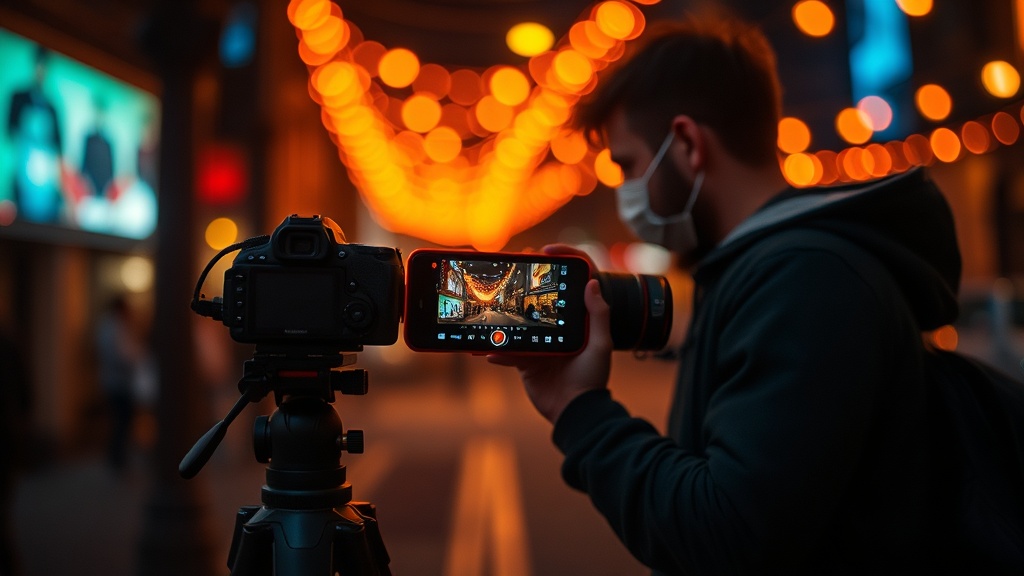
The Real Cost of Building a Serious Smartphone Photography Kit

Why does mobile photography gear cost so much—or so little?
You've seen the Instagram posts. Smooth drone-like footage shot from a phone. Crisp product photos with creamy blurred backgrounds. Time-lapses that look straight out of a BBC documentary. Here's what those creators rarely mention: they're not just tapping the shutter button. They're using accessories—lenses, stabilizers, lights, mounts—that range from $15 clip-on gadgets to $400 motorized gimbals. The mobile photography accessory market is chaotic. Some items are genuinely useful. Others collect dust after one use. This guide breaks down what actually works, what costs what, and where you should spend your money first.
Do phone camera lenses actually improve image quality?
Smartphone cameras are already impressive—the latest iPhone and Samsung models shoot computational portraits, night modes, and 4K video that rivals dedicated cameras from five years ago. But they have hard limits. Digital zoom destroys detail. Macro shots require you to get uncomfortably close. Ultra-wide angles distort at the edges.
Attachable lenses solve specific problems. Moment makes the most respected glass in this category—their M-Series lenses mount via a thin case and add true optical zoom, macro capability, or anamorphic widescreen without digital manipulation. A Moment wide lens runs about $120, plus $40 for the mounting case. The image quality is noticeably sharper than digital alternatives, especially when printing or cropping.
Budget alternatives exist. Companies like Apexel and Xenvo sell clip-on lens kits for $25-50. The optical quality isn't comparable—expect softness at the edges and some chromatic aberration—but they're fine for social media where images get compressed anyway. Sandmarc makes solid mid-range options around $80 that split the difference.
The honest truth? Most people don't need attachable lenses. Your phone's built-in cameras cover 90% of situations. But if you're shooting real estate, products, or travel content where perspective matters, optical glass beats digital processing every time. DPReview's coverage of Moment's MFT expansion shows where this technology is heading—it's not just phone accessories anymore.
What stabilizer should you buy—and is it worth $300?
Shaky footage ruins otherwise great video. Smartphone stabilizers (gimbals) use brushless motors to counteract hand movements, producing footage that looks like it was shot on a slider or dolly. But they're not all created equal, and they're definitely not all necessary.
The DJI OM 6 is the current gold standard—$159, foldable, with an extension rod built in and ActiveTrack that follows subjects automatically. It fits in a jacket pocket and sets up in seconds. For most creators, this is the only stabilizer you need. The Zhiyun Smooth 5S offers more pro features—focus pull, better payload for larger phones, and more manual controls—but at $209 and twice the size, it's overkill unless you're shooting client work.
Budget gimbals like the Hohem iSteady XE ($79) work fine for casual use. The motors are weaker, the app is clunkier, and the tracking isn't as smooth—but for family vacations or personal projects, the footage looks dramatically better than handheld.
Here's the thing gimbal manufacturers won't tell you: you might not need one at all. If you shoot mostly static interviews or vlogs where you're standing still, a simple tripod ($15-40) produces more stable results with zero battery anxiety. Gimbals shine for walking shots, running footage, or creative movements—otherwise, they're just expensive selfie sticks. Check Engadget's latest gimbal recommendations for real-world testing data on current models.
Why is lighting the most overlooked mobile accessory?
Smartphone sensors are small. They need light—lots of it—to produce clean images without noise. The built-in flash is harsh, directional, and unflattering. External lighting transforms your results more dramatically than any lens or filter.
Portable LED panels are the obvious choice. The Aputure AL-MC ($90) is credit-card sized, magnetically mounts to metal surfaces, and produces full RGB color plus adjustable white balance from 3200K to 6500K. For phone photography specifically, the Lume Cube Panel Mini ($60) attaches directly to your device via suction or mounts on a small tripod. Both are bi-color—meaning you can match tungsten indoor lighting or daylight without gels.
Ring lights have become cliché for a reason—they work. A $20 Amazon Basics ring light with a phone mount solves the "raccoon eyes" problem of overhead lighting and puts a pleasing circular catchlight in subjects' eyes. For product photography, they're almost mandatory.
The pro move? Learn to use natural light first. A $10 reflector (collapsible silver/white discs) bounces window light onto shadowed faces with zero batteries required. Most mobile photography problems are actually lighting problems. Fix the light, and your phone's built-in camera suddenly looks like it cost twice as much.
Which accessories actually matter for audio and control?
Video without good audio is unwatchable. Smartphone microphones are designed for phone calls, not filmmaking. Directional mics—like the Rode VideoMicro ($59) with a TRRS adapter—reject side noise and capture dialogue clearly. For interviews, the Saramonic SmartMic ($45) plugs directly into your Lightning or USB-C port. Wireless options like the DJI Mic 2 ($349) free you from cables entirely, with two transmitters and a receiver that plugs into your phone.
Physical controls matter more than you'd expect. Touchscreen controls are imprecise—you tap to focus and the phone hunts. Bluetooth camera remotes ($10-25) let you trigger shots without touching the screen, eliminating shake on long exposures or self-portraits. Moment's Pro Camera app pairs with their cases to add physical shutter buttons, giving you tactile feedback that feels like a real camera.
Don't forget power. 4K video and constant screen-on time drain batteries fast. Anker's PowerCore 10000 PD ($40) is small enough for a pocket and provides multiple phone charges. Battery cases—like the Mophie Juice Pack—add bulk but integrate charging seamlessly. For day-long shoots, you need one or the other. Running out of battery mid-take isn't just frustrating—it corrupts files and loses footage.
How do you build a kit without overspending?
Start with your biggest pain point. If your footage is always shaky, buy the gimbal first. If your indoor shots are grainy, get a light. If you're recording vlogs, prioritize audio. Don't buy everything at once—you'll use some items once and never again.
Here's a realistic starter kit for under $200: a $60 LED panel, a $25 directional microphone, a $15 tripod, and a $40 battery pack. That's your foundation. Add lenses later if you find yourself cropping constantly or wanting wider angles. Upgrade the gimbal only after you've confirmed you actually shoot moving footage regularly.
For intermediate creators ($400-600 budget): the DJI OM 6 gimbal ($159), a Moment wide lens with case ($160), the Rode VideoMicro II ($79), and a compact carbon fiber tripod ($120). This setup handles 95% of mobile photography situations—travel, product shots, interviews, event coverage.
Professional mobile creators ($1000+) add wireless mics, multiple lenses, motorized sliders, and backup power. But here's the secret: the phone itself matters most. A $3000 accessory kit on a three-year-old budget phone produces worse results than a current flagship with a $100 tripod. Upgrade your phone first. Then accessorize.
The mobile photography world moves fast. Accessories that were innovative two years ago are obsolete now. Buy from retailers with good return policies. Test everything within the return window. Your kit should fit your actual shooting habits—not the fantasy version where you become a daily vlogger overnight.
Your smartphone is already a capable camera. These accessories just remove the friction. Whether you're documenting weekend hikes, shooting product photos for a side hustle, or capturing your kid's soccer game—the right gear means fewer missed moments and footage you actually want to keep. Start with one category that frustrates you most. Build from there. And remember: the best accessory is the one you'll carry.